

Key Takeaways
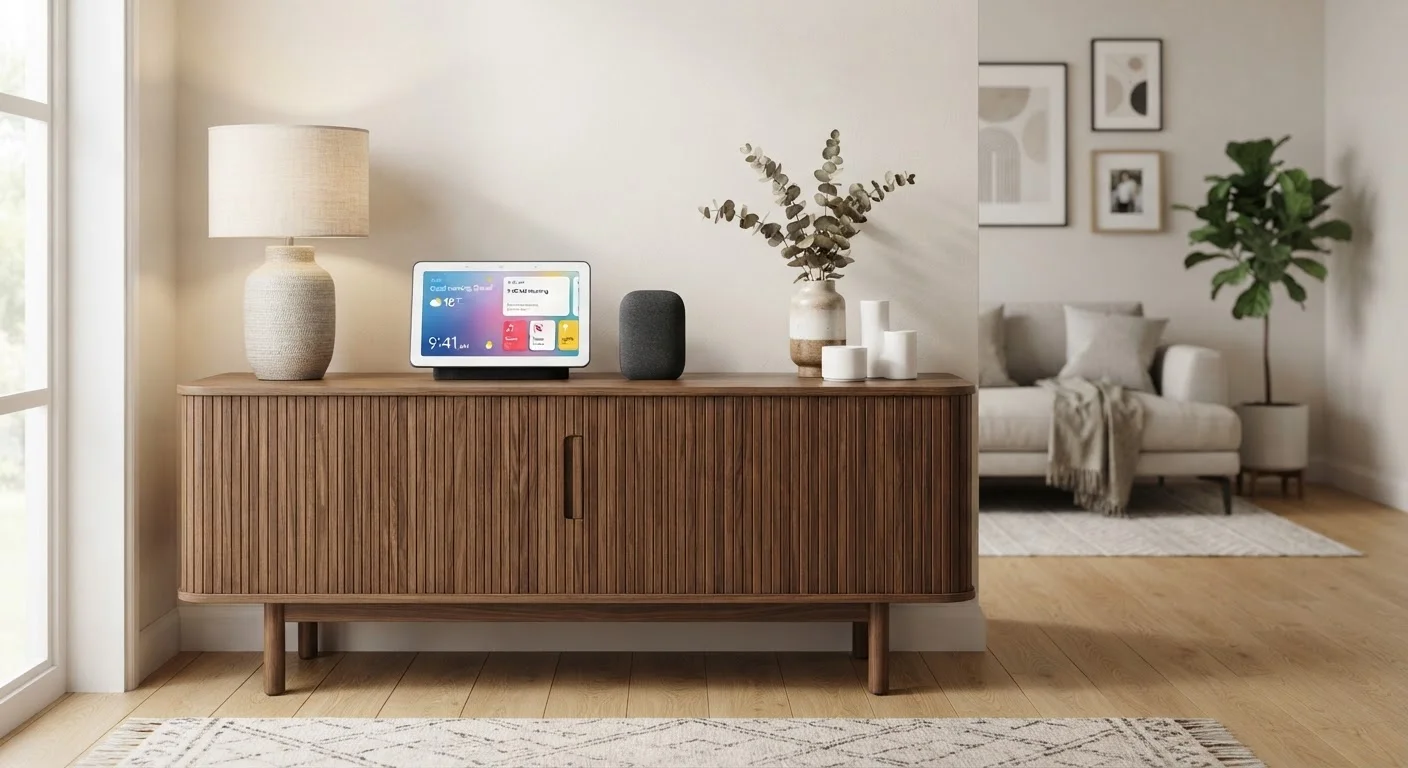
- Smart speakers are voice-first devices best suited for audio, quick queries, and hands-free control.
- Smart displays add a touchscreen, enabling video calls, visual recipes, and security camera feeds.
- Both types connect to the same smart home ecosystems but serve meaningfully different daily use cases.
- Room placement and household habits should guide your choice more than raw feature lists.
- You don't have to choose just one — many households use both types in different rooms.
Our Verdict
Smart speakers excel in rooms where simplicity, audio quality, and unobtrusive design matter most. Smart displays earn their place wherever visual information — a recipe, a video call, a doorbell camera feed — adds real everyday value. Neither device is universally superior; the right fit depends on where it lives in your home and how your household actually interacts with technology.
| Best for | Recommended |
|---|---|
| Households prioritizing music, podcasts, and voice-only convenience | Smart Speaker |
| Kitchens or common areas where visual feedback and video calls are useful | Smart Display |
| Those who want a minimal, affordable entry point into a smart home ecosystem | Smart Speaker |
| Users managing smart home devices and wanting a visual dashboard | Smart Display |
What Each Device Actually Does
Smart speakers and smart displays are both voice-activated home hubs, but they process information very differently. A smart speaker is fundamentally an audio device — it listens for a wake word, responds verbally, streams music, and sends commands to other connected devices. The entire interaction is sound-in, sound-out.
A smart display does all of that and adds a screen. That screen can show you a step-by-step recipe while your hands are covered in flour, display who's at the front door via a connected camera, or run a video call with a family member. The touchscreen also lets you browse settings and control smart home devices without speaking a word.
Understanding these foundational differences is the fastest way to cut through feature-list noise. To understand how these devices fit into the broader picture, see our guide on smart home ecosystems.
| Smart Speaker | Smart Display | |
|---|---|---|
| Primary interaction | Voice only | Voice and touchscreen |
| Audio capability | Core strength | Secondary feature |
| Video calls | Not supported | Supported with camera |
| Visual information (recipes, weather) | Audio readout only | On-screen display |
| Security camera viewing | Not available | Supported |
| Typical footprint | Small, unobtrusive | Larger, screen-facing |
| General cost range | Lower | Higher |
| Ecosystem compatibility | Same platforms available | Same platforms available |
Where Each Device Performs Best
Room placement is arguably the most important factor in this decision — more so than price or brand.
Smart speakers shine in bedrooms, home offices, and living rooms where audio is the priority and screen real estate isn't needed. They blend into a shelf or nightstand without demanding visual attention, and their smaller footprint means they rarely feel intrusive. If you mostly want to control music, set timers, or ask quick questions while doing something else, a speaker handles those tasks efficiently.
Smart displays earn their keep most clearly in kitchens and main living spaces. A kitchen counter is the classic use case: glance at a recipe, watch a tutorial video, check the weather before heading out, or see who's ringing the doorbell — all without picking up your phone. They also work well as a household communication hub in a shared living area.
Match the Device to the Room, Not the Spec Sheet
Before choosing, spend a week noticing where in your home you naturally reach for your phone for quick information. That location is usually where a smart display adds the most value. Rooms where you listen but rarely look — a bedroom, a garage — are better fits for a smart speaker. Many households end up with one of each, placed strategically rather than arbitrarily.
If you're new to either device type, setting up a smart speaker for the first time is a straightforward process that requires no prior tech experience.
Privacy, Cost, and Ecosystem Compatibility
Privacy considerations apply to both device types, though displays introduce an added layer. Both listen for a wake word, which means a microphone is always active. Smart displays add a camera, which raises additional questions about placement — putting a camera-equipped device in a bedroom or bathroom is worth thinking through carefully. Most devices include a physical privacy switch that disables the microphone and camera simultaneously.
Cost reflects the hardware difference directly. Smart speakers are generally less expensive to purchase, while smart displays carry a higher price point that scales with screen size. That said, the practical value of a display depends entirely on whether you'll use the visual features regularly — a screen nobody looks at is money spent without benefit.
Ecosystem compatibility is consistent between the two form factors. A smart speaker and a smart display running the same assistant — Amazon Alexa or Google Assistant, for example — connect to the same pool of compatible devices and services. Choosing between the two form factors won't lock you into a different ecosystem. For a deeper look at how assistants compare, our article on Alexa vs Google Assistant covers the practical distinctions.
Before adding either device to your network, it's worth running through a compatibility and privacy checklist to avoid common setup headaches.
35%
U.S. adults with a smart speaker
Pew Research Center has reported that roughly a third of U.S. adults own a smart speaker, reflecting how mainstream voice-activated devices have become.
2x
Smart display screen sizes available
Smart displays are commonly available in screen sizes ranging from around 7 inches to 15 inches, allowing placement in varied room types and use cases.