

Key Takeaways
- Integrated graphics share system RAM and are built into the CPU; dedicated GPUs have their own separate memory and processing power.
- Most everyday users — those browsing, streaming, or working in documents — will not notice a performance gap with integrated graphics.
- Gaming, video editing, and 3D design workloads reliably require a dedicated GPU for smooth, usable performance.
- Dedicated GPUs consume significantly more power, affecting laptop battery life and desktop energy costs.
- Modern integrated graphics have improved substantially and can handle light gaming and 4K video playback on current hardware.
- Choosing between them depends entirely on your specific workload, not just on general assumptions about 'better' hardware.
Option A
Integrated Graphics
The built-in, efficient, everyday option.
Best for: General productivity tasks, web browsing, video calls, and light media consumption where portability and battery life matter.
Option B
Dedicated Graphics (GPU)
The separate, high-performance visual powerhouse.
Best for: Gaming, video editing, 3D rendering, machine learning workloads, and driving high-resolution or multiple displays.
If you primarily browse, stream, and work in documents or spreadsheets
Integrated Graphics
Integrated graphics handle these tasks without issue and keep costs, heat, and power consumption low.
If you play modern PC games at medium to high settings
Dedicated Graphics (GPU)
Modern games demand fast, dedicated video memory and shader processing that integrated graphics simply cannot sustain.
If you edit video, work with 3D models, or run visual effects software
Dedicated Graphics (GPU)
GPU-accelerated rendering in professional creative applications dramatically cuts export and preview times.
If you want a thin, light laptop with all-day battery life
Integrated Graphics
Skipping a discrete GPU is one of the biggest factors in extending battery life and keeping a laptop chassis slim.
If you run machine learning models or AI workloads locally
Dedicated Graphics (GPU)
GPU parallel processing cores are architecturally suited to the matrix calculations that AI and ML tasks require.
What Integrated and Dedicated Graphics Actually Are
Every computer needs a graphics processor to render anything on screen — from your desktop background to a video call. The question is where that processor lives and how capable it is.
Integrated graphics are built directly into the same chip as your CPU (central processing unit). They share the computer's main system RAM rather than having their own dedicated pool of video memory. Because they're part of the CPU package, they consume less power, generate less heat, and add no extra cost or size to a machine.
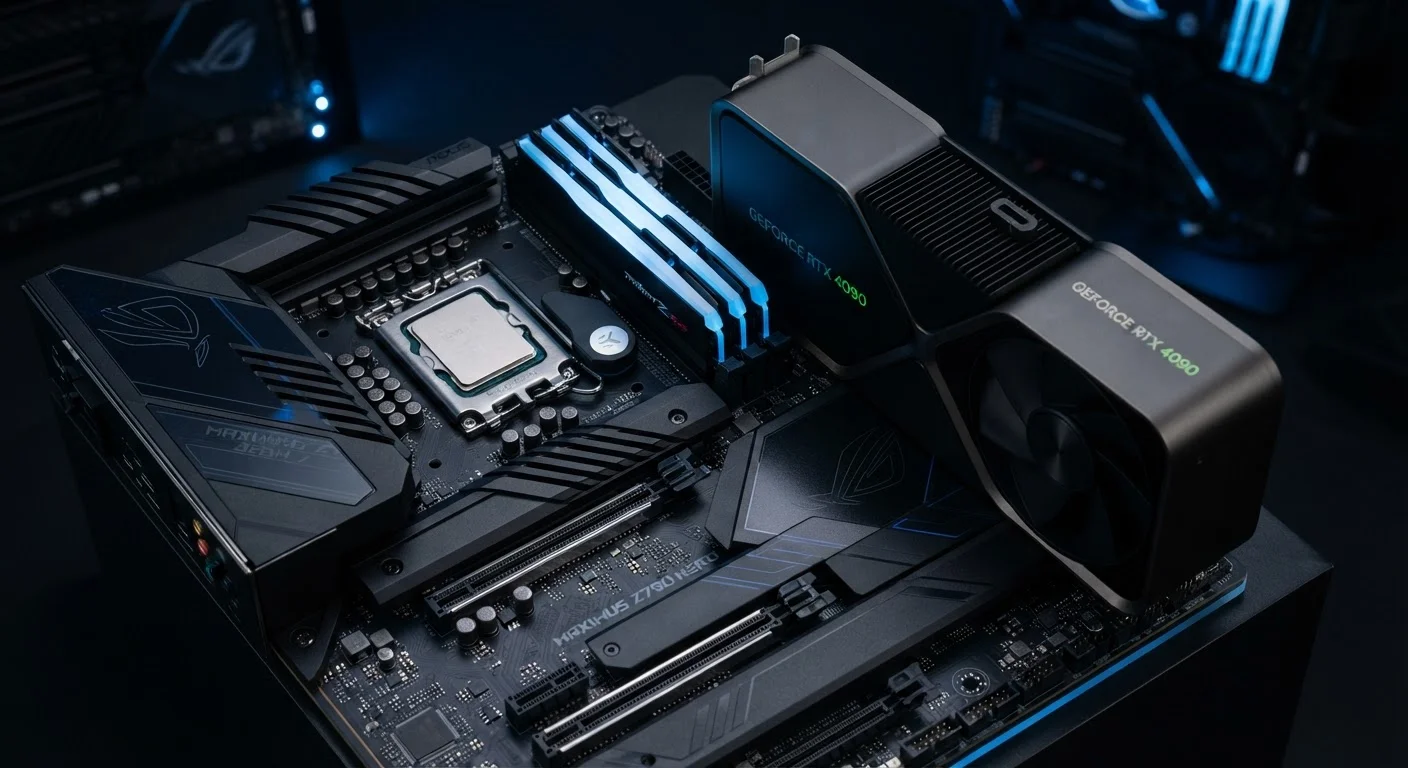
Dedicated graphics cards — often called discrete GPUs (graphics processing units) — are separate components with their own processor and their own high-speed video memory, typically called VRAM. That independence means they can handle far more graphically intensive work without bottlenecking the CPU or exhausting shared system memory.
Think of it this way: integrated graphics are like a built-in calculator on your phone — practical and always available. A dedicated GPU is a full-size scientific calculator sitting beside it — far more powerful, but only worth carrying if you actually need the extra capability. For a broader look at how hardware choices affect how you work, see our guide to matching your computer to how you work.
Side-by-Side: How They Compare
The differences between integrated and dedicated graphics become clearer when you look at them across specific dimensions rather than treating one as simply 'better' than the other.
| Criterion | Integrated Graphics | Dedicated GPU |
|---|---|---|
| Location | Built into the CPU chip | Separate card or module |
| Video Memory | Shares system RAM | Own dedicated VRAM |
| Performance | Sufficient for everyday tasks | High-demand workloads and gaming |
| Power Consumption | Low | Significantly higher |
| Battery Impact (laptops) | Minimal | Noticeably reduces battery life |
| Heat Output | Low | Higher; requires active cooling |
| Upgradeability | Not upgradeable | Upgradeable in desktops |
| Cost | Included in CPU cost | Adds significant cost |
One dimension worth highlighting is VRAM — dedicated video memory. Integrated graphics pull from your system's general RAM pool, meaning a memory-hungry graphics task competes with everything else running on your machine. Dedicated GPUs carry their own fast VRAM, isolated for graphics tasks exclusively. This separation is a primary reason why complex visual workloads feel dramatically smoother on a dedicated card.
It's also worth noting that integrated graphics have improved significantly in recent processor generations. Current integrated solutions from major chipmakers can handle 4K video playback, light photo editing, and even some less demanding games at lower settings — capabilities that were impossible from integrated chips just a few years ago.
When a Dedicated GPU Actually Makes a Difference
The honest answer is: for a large share of everyday computer users, a dedicated GPU makes no practical difference at all. Web browsing, word processing, spreadsheets, video calls, and streaming video are all tasks that modern integrated graphics handle without strain.
Where dedicated graphics become genuinely important:
- PC gaming: Modern games require real-time rendering of detailed 3D environments. Integrated graphics lack the VRAM and parallel processing to sustain playable frame rates at medium or higher settings in most current titles.
- Video editing and color grading: Professional editing applications use GPU acceleration to render previews and process effects in real time. Without it, timelines stutter and exports slow to a crawl.
- 3D modeling and animation: Tools used in architecture, product design, and animation rely on GPU processing for viewport rendering — the live preview you manipulate while working.
- Machine learning and AI inference: Training or running AI models locally is architecturally suited to GPU parallel processing and is often impractical on integrated graphics alone.
- Driving multiple or high-resolution displays: Pushing pixels across two or three 4K monitors simultaneously demands more than most integrated solutions offer.
~80%
of laptop shipments include integrated-only graphics
Market data from analyst firm IDC suggests the large majority of consumer laptops sold globally rely on integrated graphics, reflecting how most users don't require discrete GPU capability.
3–5×
GPU acceleration speedup for video exports
Independent testing across major video editing platforms consistently shows GPU-accelerated export times that are multiple times faster than CPU-only rendering, particularly for high-resolution footage.
If your workload doesn't appear on that list, there's a reasonable argument that a dedicated GPU is unnecessary expense. As our spec sheet guide explains, hardware specifications only matter in relation to what you actually intend to do with a machine.
Trade-Offs Worth Understanding Before You Decide
Choosing a machine with a dedicated GPU involves real trade-offs beyond the sticker price. Discrete graphics cards consume considerably more power than integrated solutions. In a laptop, this directly compresses battery life — sometimes dramatically. A thin-and-light laptop running integrated graphics might sustain eight to twelve hours of real-world use; a gaming laptop with a powerful discrete GPU might manage three to five hours under load.
Heat is the related consideration. Dedicated GPUs generate substantially more heat, requiring larger cooling systems — fans, heat pipes, larger chassis vents. This is why gaming laptops tend to be thicker and heavier, and why desktop systems with powerful GPUs need thoughtful case airflow.
There's also the upgrade dimension. In desktop computers, a dedicated GPU is a replaceable component — you can swap it out as your needs evolve. In most laptops, the GPU is soldered to the motherboard and cannot be upgraded. This makes the decision more consequential at the point of purchase for a laptop buyer. Maintaining your computer well can extend its useful life, but it won't change its fundamental graphics capability.
A Note on Hybrid Graphics Systems
Many modern laptops include both integrated and dedicated graphics, automatically switching between them depending on the workload. When you're browsing or writing, the system uses integrated graphics to conserve battery. When you launch a game or rendering task, it switches to the dedicated GPU. This approach offers a practical middle ground — but it does add complexity, and behavior varies across manufacturers and operating systems.