

Key Takeaways
- Desktops generally offer more performance per dollar and are easier to upgrade over time.
- Laptops trade raw power and upgradability for portability and convenience.
- Your work location and workflow habits should drive the decision more than specs alone.
- A laptop paired with an external monitor and keyboard can closely approximate a desktop experience.
- Neither form factor is universally superior — the right choice depends entirely on individual needs.
Our Verdict
Desktops deliver more value for stationary, performance-intensive work and are the smarter long-term investment if your workspace is fixed. Laptops are the practical choice for anyone whose work spans multiple locations or who needs a single device for both home and travel. For many users, a mid-range laptop with a quality external monitor strikes the best balance.
| Best for | Recommended |
|---|---|
| Stationary workers who prioritize performance and longevity | Desktop |
| Commuters, travelers, and flexible workers | Laptop |
| Those who want both portability and a desk-ready experience | Laptop with external peripherals |
| Power users on a budget who don't need portability | Desktop |
The Real Question Isn't Performance — It's How You Work
Most people approach the desktop-vs-laptop decision by comparing processor speeds or RAM capacity. That's understandable, but it often leads to the wrong answer. The more useful starting point is a clear-eyed look at your daily habits: Where do you sit when you work? Do you move between locations? Is your computer primarily a tool for focused tasks, or does it travel with you?
A laptop you carry to a coffee shop every day serves a fundamentally different purpose than a workstation that never leaves your home office. Once you've mapped your actual usage pattern, the hardware decision tends to follow naturally. For a deeper look at what those hardware specs mean in practice, see our guide on what laptop specs actually mean.
| Desktop | Laptop | |
|---|---|---|
| Portability | None — fixed location | High — carry anywhere |
| Performance per dollar | Higher at same price point | Lower due to compact engineering |
| Upgradability | RAM, storage, GPU replaceable | Limited; often non-upgradable |
| Ergonomics | Fully customizable peripherals | Built-in; needs add-ons for comfort |
| Power requirements | Requires wall outlet | Battery-powered; outlet optional |
| Typical lifespan | Longer with incremental upgrades | Shorter before full replacement |
Where Desktops Have a Clear Advantage
Desktops consistently deliver more computing power for the same price compared to laptops. Because they don't need to fit inside a thin chassis or run on battery, manufacturers can use larger, faster components and more effective cooling systems — which means sustained performance under heavy workloads.
Upgradability is another significant advantage. Most desktop towers allow you to add RAM, swap out storage drives, or install a more capable graphics card years after purchase. This extends the useful life of the machine in a way that very few laptops allow. If you work with video editing, 3D modeling, or large datasets, this matters considerably.
Desktops also win on ergonomics. You can pair them with whatever monitor size, keyboard, and mouse suit you — and position each piece exactly where your body needs it. Our guide to monitors, keyboards, and mice covers how to get that setup right. The trade-off is obvious: a desktop goes nowhere.
Test Your Actual Work Pattern First
Before committing to either form factor, track where you actually use your computer for one week. If you rarely leave your desk, a desktop is worth serious consideration — even if you think you might want portability someday. Real habits are more reliable than hypothetical ones. If you do move around, note whether you need the computer itself or just internet access, which a phone or tablet might cover.
Where Laptops Make More Sense
Portability is a laptop's defining feature, but it's worth thinking carefully about what portability actually means for your life. If you commute, work from multiple locations, attend meetings, or travel frequently for work, a laptop removes friction that a desktop simply can't address.
Modern laptops have also closed the performance gap significantly for everyday computing tasks — web browsing, document work, video calls, and light creative work are handled capably by most mid-range machines. Battery life has improved to the point where many users get through a full workday without reaching for a charger.
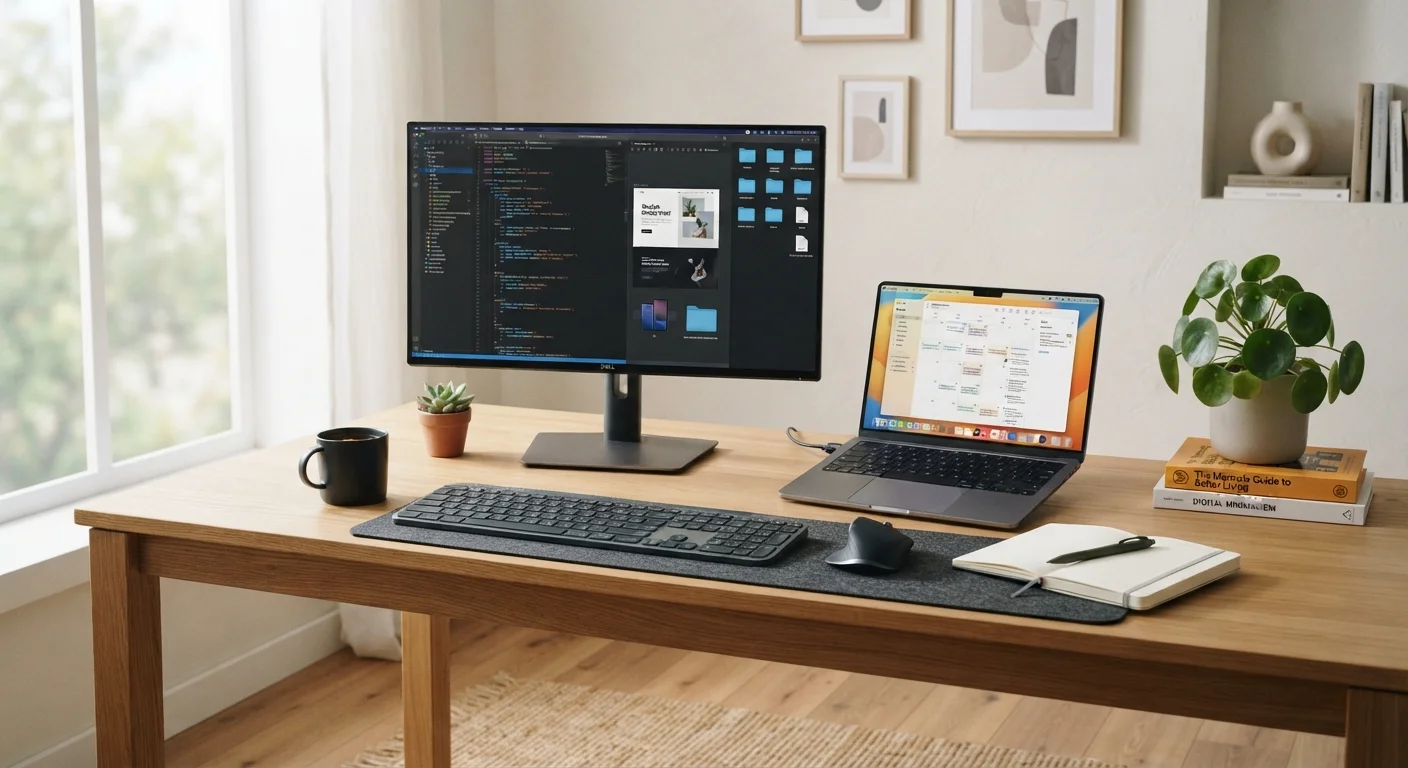
One underappreciated laptop strategy: use it as a portable workstation at home by connecting it to a large external monitor, a full-size keyboard, and a mouse. This gives you the benefits of a comfortable desk setup without sacrificing the ability to pack up and go. Understanding which ports and connectors your laptop offers is essential before buying peripherals this way.
Factors That Can Tip the Decision
A few considerations often resolve lingering uncertainty:
- Budget discipline: At the same price point, a desktop typically outperforms a laptop. If performance is a priority and portability isn't, desktops offer stronger value. If you're curious about stretching your options further, refurbished computers can offer meaningful savings on both form factors.
- Long-term cost: Desktops can be upgraded incrementally, potentially delaying a full replacement by several years. Laptops are harder to upgrade and may require full replacement sooner.
- Graphics needs: Intensive gaming or creative work often requires a dedicated GPU (graphics processing unit). Desktops make it easier to add or upgrade one. Our article on integrated vs. dedicated graphics explains when this distinction actually matters.
- Space constraints: Small apartments or shared spaces may favor a laptop or compact desktop that doesn't dominate the room.
Keep in mind that whichever path you choose, good maintenance habits will extend your machine's useful life significantly.
~60%
US households with a laptop
According to Pew Research Center data, laptop ownership has consistently exceeded desktop ownership in US households for over a decade.
3–5 years
Typical laptop replacement cycle
Industry analysts generally estimate consumer laptops are replaced every three to five years, often earlier than desktops due to limited upgradability.