

| HDMI 1.4 Max Bandwidth | 10.2 Gbps (HDMI Forum specification) |
| HDMI 2.0 Max Bandwidth | 18 Gbps (HDMI Forum specification) |
| HDMI 2.1 Max Bandwidth | 48 Gbps (HDMI Forum specification) |
| 4K @ 60 fps Requires | HDMI 2.0 or higher |
| 4K @ 120 fps Requires | HDMI 2.1 |
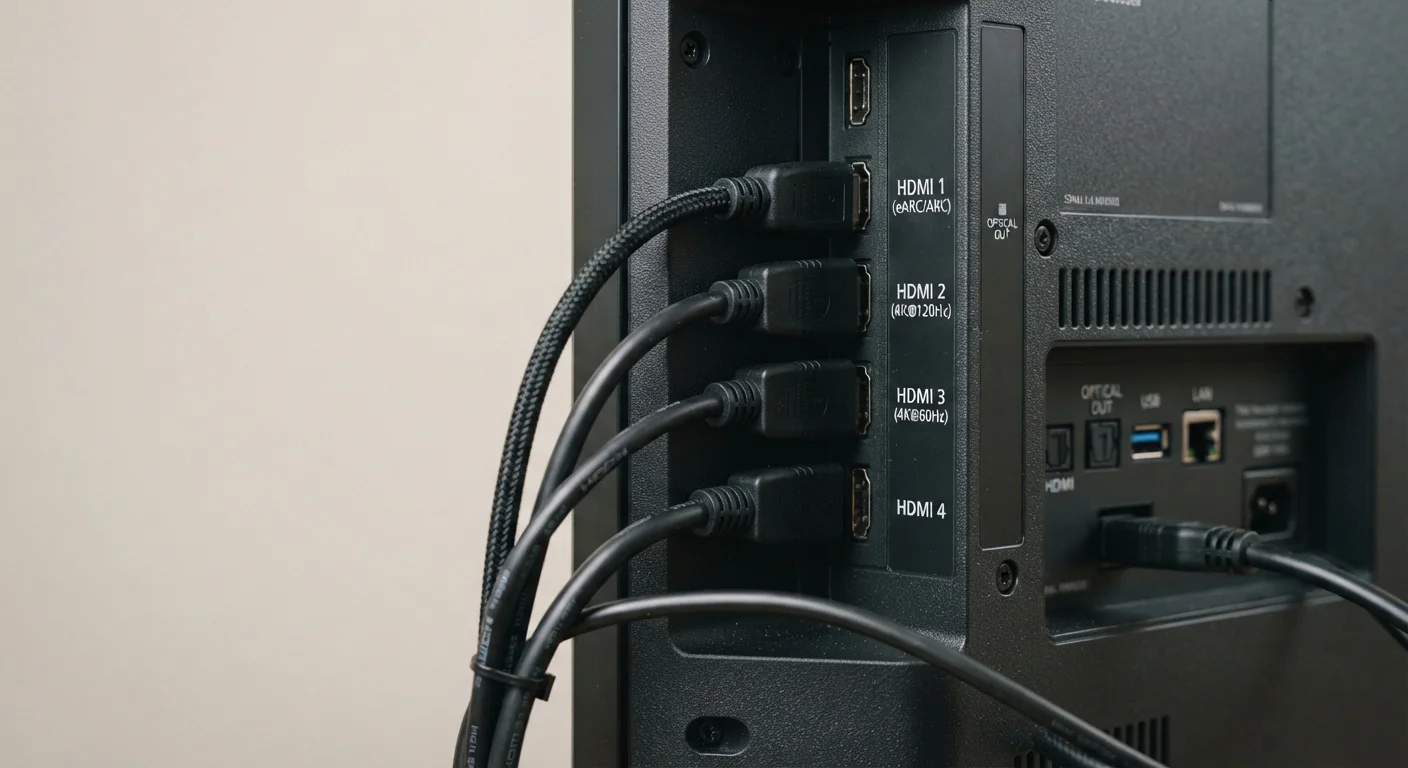
| eARC Support | HDMI 2.1 only (HDMI Forum specification) |
Why HDMI Versions Actually Matter
HDMI — High-Definition Multimedia Interface — is the standard cable and port system that carries both audio and video signals between devices. Every TV, monitor, game console, Blu-ray player, and streaming stick you own almost certainly uses it. But not all HDMI ports are equal. The version stamped on a port — 1.4, 2.0, or 2.1 — determines how much data it can move per second, which in turn sets a hard ceiling on resolution, frame rate, and advanced features like HDR.
The practical impact is real. Connecting a device capable of 4K at 120 frames per second to an older HDMI 2.0 port won't destroy anything, but you won't get the full picture — literally. The signal gets downgraded to what the port can handle. Knowing your versions helps you diagnose why a new console or streaming box isn't performing as advertised, and whether a cable or a port is the limiting factor. For a deeper look at how resolution ties into this, see TV Resolution Demystified.
| HDMI 1.4 Max Bandwidth | 10.2 Gbps (HDMI Forum specification) |
| HDMI 2.0 Max Bandwidth | 18 Gbps (HDMI Forum specification) |
| HDMI 2.1 Max Bandwidth | 48 Gbps (HDMI Forum specification) |
| 4K @ 60 fps Requires | HDMI 2.0 or higher |
| 4K @ 120 fps Requires | HDMI 2.1 |
| eARC Support | HDMI 2.1 only (HDMI Forum specification) |
HDMI 1.4, 2.0, and 2.1: Key Differences at a Glance
Each major HDMI generation raised the bandwidth ceiling and added new capabilities. Here's what distinguishes them:
- HDMI 1.4 — Released in 2009, this version introduced 4K support in a limited sense: up to 4K at 30 fps, and 1080p at 120 fps. It handles standard HDR poorly and caps out at 10.2 Gbps of bandwidth. It remains common on older TVs, projectors, and AV receivers.
- HDMI 2.0 — Released in 2013, this version pushed bandwidth to 18 Gbps, enabling 4K at 60 fps with HDR (specifically HDR10 and Dolby Vision on compatible devices). It also added wide color gamut support. Most TVs sold between roughly 2016 and 2020 use HDMI 2.0 ports.
- HDMI 2.1 — Released in 2017 and now common on newer TVs and current-generation gaming hardware, HDMI 2.1 dramatically increases bandwidth to 48 Gbps. This unlocks 4K at 120 fps, 8K at 60 fps, Variable Refresh Rate (VRR), and Enhanced Audio Return Channel (eARC).
One important nuance: manufacturers sometimes label ports as "HDMI 2.1" while implementing only a portion of its feature set. Always check a device's specifications sheet rather than relying solely on the port label. This same principle applies when evaluating display specs like refresh rate and panel type.
Bandwidth
The maximum amount of data an HDMI connection can transfer per second, measured in gigabits per second (Gbps). Higher bandwidth enables higher resolutions and frame rates.
HDR
High Dynamic Range — a video standard that expands the range of brightness and color in an image. HDMI 2.0 and above support HDR formats such as HDR10 and Dolby Vision.
VRR
Variable Refresh Rate — an HDMI 2.1 feature that synchronizes the display's refresh rate to the output device's frame rate, reducing screen tearing in gaming scenarios.
eARC
Enhanced Audio Return Channel — an HDMI 2.1 feature that sends high-bandwidth audio from a TV back to a connected sound system, supporting lossless formats like Dolby TrueHD.
ARC
Audio Return Channel — introduced with HDMI 1.4, this allows a TV to send audio to a soundbar or receiver over the same HDMI cable, but with lower bandwidth than eARC.
Cable Types, ARC, and Backward Compatibility
A frequent source of confusion is whether HDMI cables themselves have versions. Technically, cables are rated by category — Standard, High Speed, Premium High Speed, and Ultra High Speed — rather than by version number. An Ultra High Speed HDMI cable is required to reliably carry an HDMI 2.1 signal at full bandwidth. Using an older High Speed cable with a 2.1 port may work for lower-quality signals but can cause dropouts or prevent advanced features from activating.
HDMI is backward compatible: a 2.1 cable plugs into a 1.4 port without issue, and a 2.1 device connected to a 2.0 port simply operates at 2.0 speeds. No damage occurs — only capability is lost.
ARC and eARC are worth understanding separately. ARC, introduced with HDMI 1.4, allows a TV to send audio back down an HDMI cable to a soundbar or receiver — eliminating a separate optical cable. eARC, a feature of HDMI 2.1, dramatically increases that return channel's bandwidth, supporting lossless audio formats like Dolby TrueHD and DTS:X. If you're building a home theater, eARC matters; see the complete home cinema setup guide for how it fits the broader system.
Not All HDMI 2.1 Ports Are Created Equal
Some manufacturers implement HDMI 2.1 ports with a reduced bandwidth ceiling — often 32 Gbps rather than the full 48 Gbps. This is technically within the HDMI 2.1 specification but limits certain high-end capabilities like 4K at 144 fps. When exact feature support matters, check the manufacturer's technical datasheet for the specific device, not just the port label.
For context on choosing computing hardware that outputs through these ports, the desktop vs. laptop comparison covers how GPU and port availability differ between form factors.