

Key Takeaways
- RAM and storage are completely different types of memory with distinct roles in your computer.
- Adding more RAM only helps if RAM is actually the bottleneck slowing your system down.
- RAM speed (measured in MHz) matters less than most spec sheets suggest for everyday tasks.
- Closing apps to 'free up' RAM can actually make your computer slower, not faster.
- How much RAM you need depends heavily on your specific workload and operating system.
Why Computer Memory Confuses So Many People
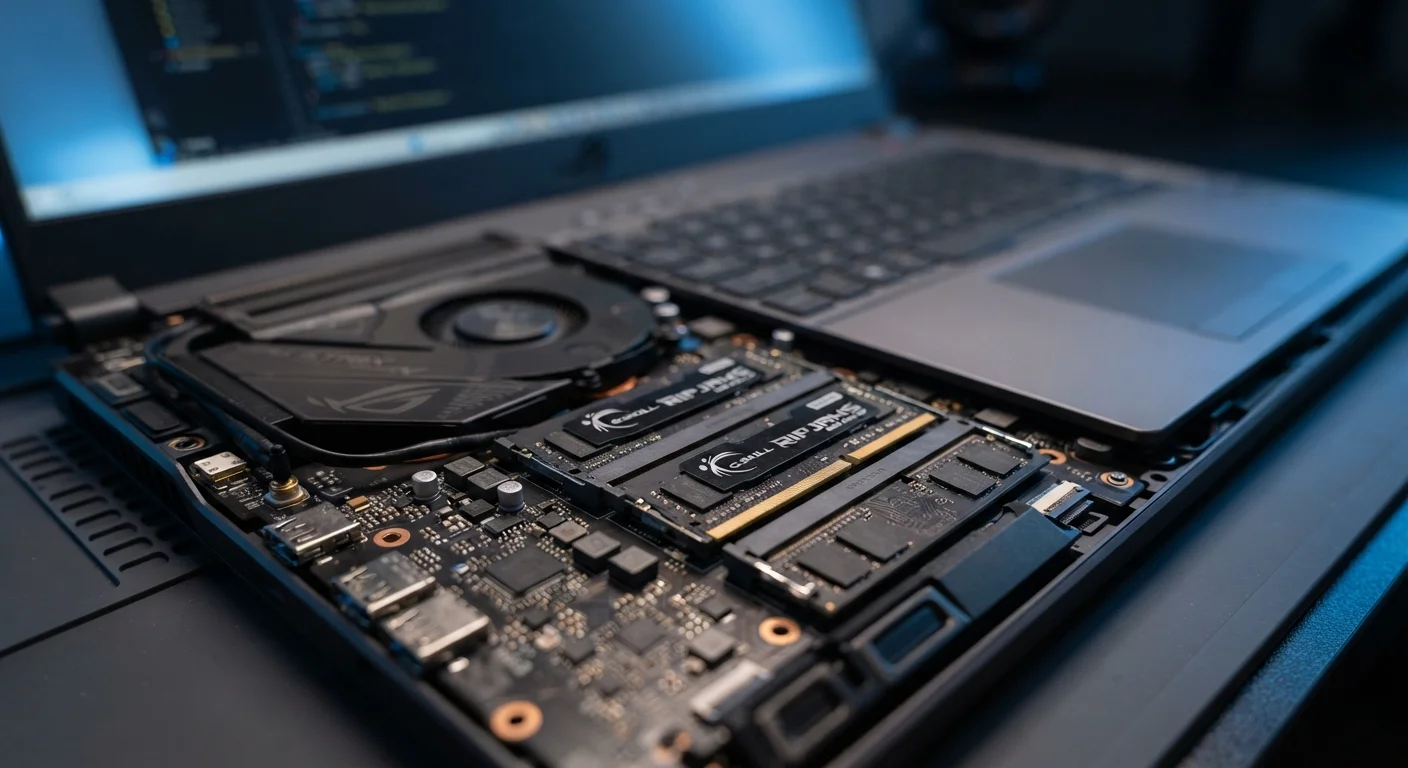
Ask most people what's slowing down their computer and they'll say the same thing: "I probably need more RAM." That answer isn't always wrong — but it's rarely the full story. RAM, or Random Access Memory, is one of the most misunderstood components in consumer computing, partly because the word "memory" gets applied to at least three very different things: the RAM that holds active data, the storage drive that saves files long-term, and the cache built into the processor itself.
This confusion isn't trivial. It leads people to spend money on upgrades that won't help, ignore bottlenecks that actually matter, and misread spec sheets when choosing new devices. For a deeper look at how these specs interact, see our plain-language breakdown of laptop specs. Below, we address the most persistent myths directly.
Myth
RAM and storage are the same thing — they're both just "memory."
Fact
RAM is short-term working memory that clears when powered off; storage is long-term and retains data permanently.
RAM (Random Access Memory) holds data the processor is actively using right now — open browser tabs, a running application, a document being edited. The moment you shut down, that data is gone. Storage — whether a hard drive or solid-state drive (SSD) — is where your files, operating system, and installed apps live permanently. Confusing the two leads to fundamentally wrong conclusions: a full hard drive doesn't slow down your RAM, and upgrading RAM won't give you more space for photos or documents.
Myth
More RAM always makes your computer faster.
Fact
RAM only improves performance when insufficient RAM is the actual bottleneck; other components often limit speed first.
If your system already has enough RAM for your workload, adding more produces no measurable difference. Performance depends on a chain of components — the processor, storage drive speed, GPU, and RAM working together. If your SSD is slow, your processor is aging, or your software is poorly optimized, doubling your RAM won't help. The key question is whether your system is actively running out of RAM under your typical workload. Most operating systems display current RAM usage; if you consistently have headroom to spare, more RAM isn't the answer.
Myth
You should always close apps to free up RAM and speed up your computer.
Fact
Modern operating systems deliberately use idle RAM as a performance cache; leaving it unused is wasteful, not efficient.
Windows and macOS are designed to preload frequently used data into any available RAM so it's ready faster when you need it. An OS with most RAM occupied isn't struggling — it's working as intended. When a new process needs memory, the OS intelligently moves lower-priority cached data out of the way. Aggressively closing background apps and clearing RAM with third-party "optimizer" tools can actually force the system to reload data it had already prepared, resulting in slower, not faster, performance.
Myth
RAM speed (MHz rating) is one of the most important specs to pay attention to.
Fact
For most everyday computing tasks, the difference in real-world performance between RAM speed tiers is negligible.
RAM is rated in megahertz (MHz) or megatransfers per second (MT/s), and higher numbers are marketed aggressively. In practice, the performance gap between, say, DDR4-3200 and DDR4-3600 in typical tasks like browsing, office work, or even moderate gaming is often within a margin too small to notice. Speed matters more in workloads that are specifically memory-bandwidth-sensitive, such as certain professional rendering tasks or integrated graphics scenarios. For most consumers, RAM capacity and compatibility with their specific system matter far more than chasing the highest MHz figure.
Myth
8 GB of RAM is plenty for any computer task you'll realistically need.
Fact
8 GB can be sufficient for light use, but modern operating systems and software have made 16 GB a more practical baseline for many users.
The "enough RAM" threshold shifts as software evolves. Operating system overhead, browser memory usage from multiple tabs, and background processes have all grown. For a machine used primarily for web browsing, streaming, and light document work, 8 GB may still be adequate. But users who multitask heavily, run creative software, or plan to keep a device for several years will likely find 8 GB constraining sooner than expected. The right amount genuinely depends on your workload — there's no universal answer.
What These Myths Cost You in Practice
Misunderstanding RAM doesn't just cause confusion — it shapes purchasing and troubleshooting decisions in real and sometimes costly ways. Someone who conflates RAM with storage might buy extra RAM when their drive is actually full, solving nothing. Someone who thinks more RAM always means more speed might pay a premium for 32 GB on a machine used almost entirely for web browsing and word processing.
16 GB
RAM now considered a practical everyday baseline
Industry guidance from major OS developers increasingly reflects that 16 GB supports smoother multitasking for typical modern workloads.
~1–3%
Typical real-world gain from faster RAM in common tasks
Independent hardware benchmarks consistently show single-digit percentage improvements from higher-speed RAM in everyday productivity and browsing workloads.
On the flip side, dismissing RAM entirely can leave power users — video editors, software developers, or people running virtual machines — genuinely bottlenecked without realizing it. The goal isn't to memorize a number; it's to understand what RAM does so you can assess whether your specific use case actually needs more of it. If your computer has been slowing down over time, RAM may be a factor, but it's rarely the only one — our article on why computers slow down over time explores the full picture.
Beware of RAM 'Optimizer' Tools
Third-party applications that claim to 'free up' or 'boost' RAM by forcibly clearing memory often do more harm than good. By flushing data the OS had cached for faster access, they can cause apps to reload from scratch and slow down your system. Your operating system's built-in memory management is generally more effective than any third-party tool.
If you're evaluating a new device, be especially cautious about taking single specs at face value. Our piece on spec sheet traps for first-time buyers walks through the figures that are most frequently overstated. The same principles apply whether you're looking at a laptop, desktop, or — as explained in our guide to smartphone RAM and storage — a mobile device.